
Mark up the set. Measure it. Get it done.
Redpen is a fast desktop app for drawings: clouds and RFIs, scaled takeoffs, fixture counts and quantities straight to Excel. Priced so the whole crew can have it, not just the estimator.
No credit card · Free viewer plan forever · Works offline
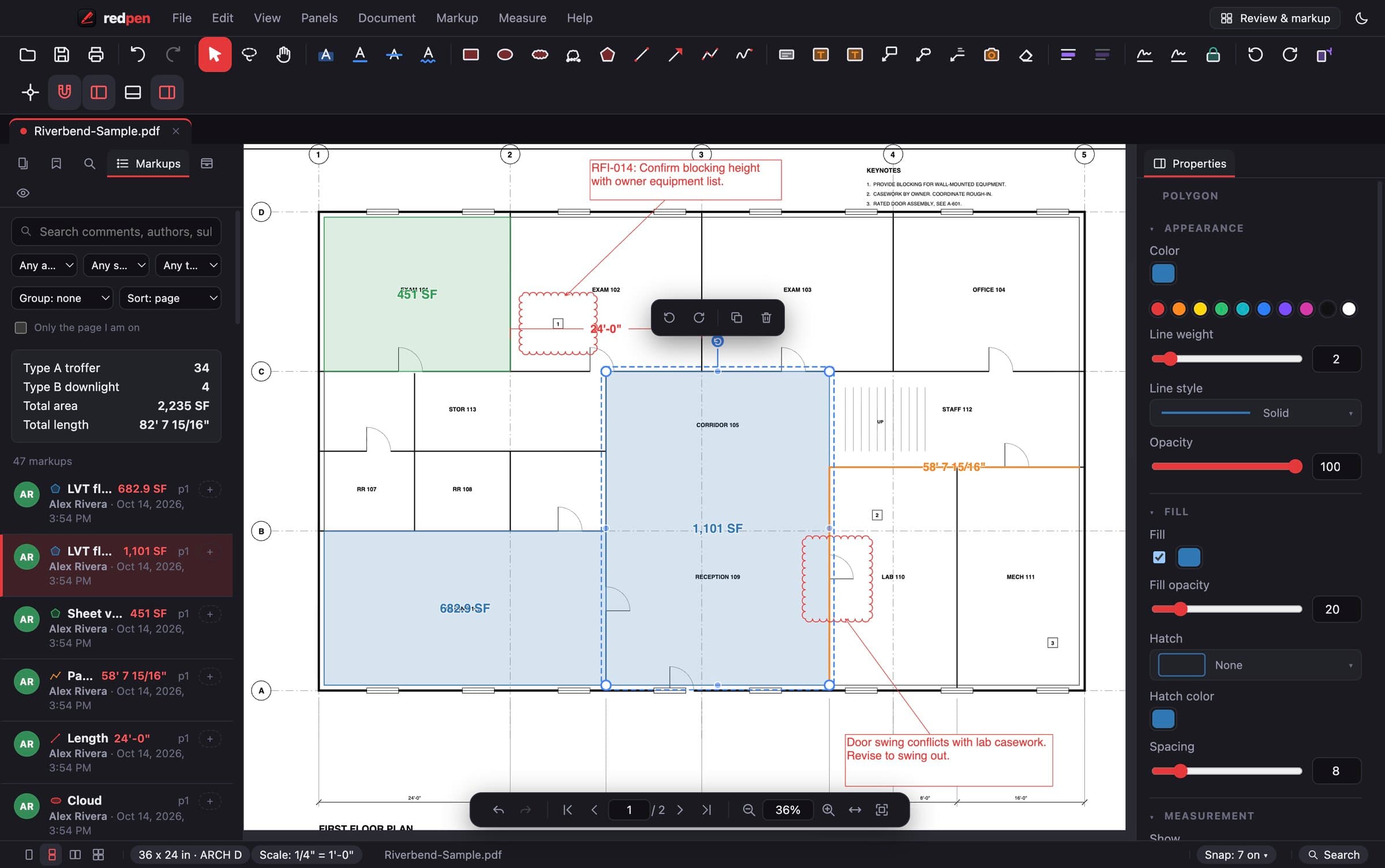
From PDF to quantities in three steps.
No training course, no sales call. If you have used a PDF viewer you can use Redpen.
Drag in the PDF. Full-size sheets render sharp at any zoom, and big sets stay quick.
Autoscale reads the dimensions on the sheet and works out the true scale, even on reduced prints.
Take off lengths, areas and counts, then export quantities to Excel or send the marked-up PDF.
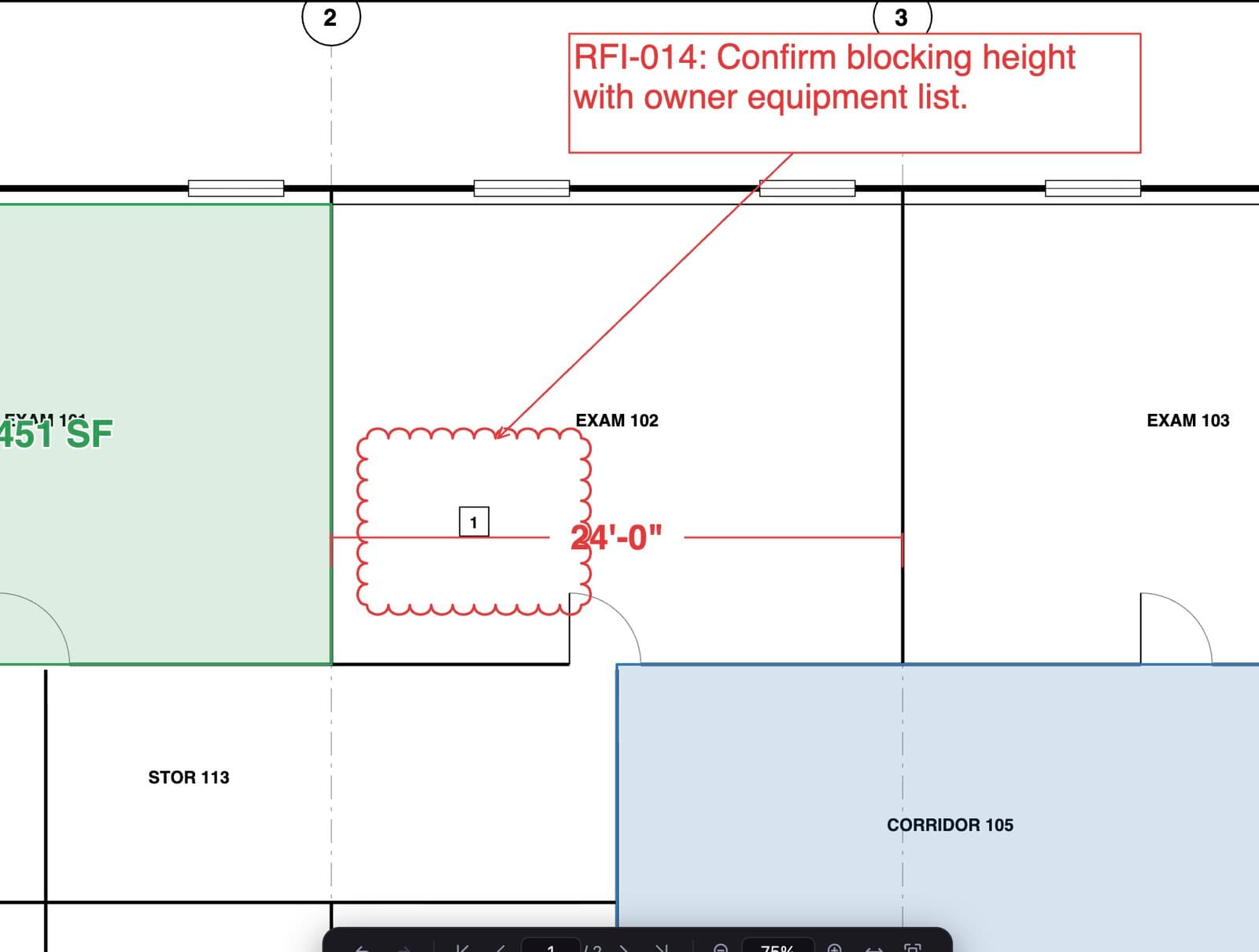
Cloud it, call it out, track it.
Clouds, callouts, arrows, highlights and stamps that look right on paper. Every markup lands in one list with author, status and comments, so nothing gets lost between the field and the office.
- Callouts and cloud callouts with leaders
- Markups list: filter, sort, comment, set status
- Tool chest for your go-to markups
- Saves as standard PDF annotations
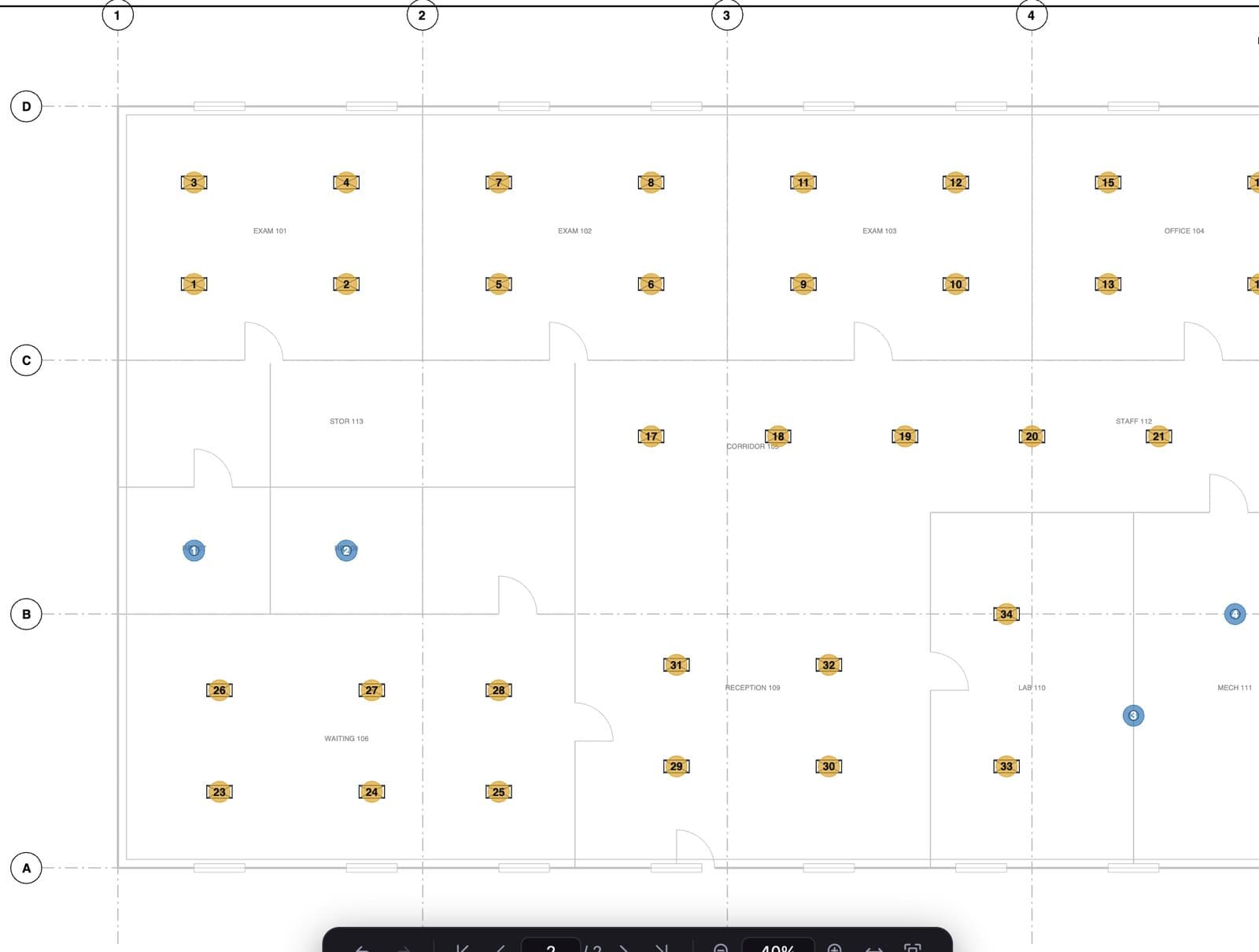
Quantities you can put in a bid.
Length, area, perimeter, volume, wall area and counts, all in real units once the scale is set. Totals update as you draw.
From the sheet on the left. One click exports it to Excel.
The PDF tools you reach for every week.
Finds the real scale from the drawn dimensions, not the title block note.
Click one fixture, Redpen finds and numbers every match on the sheet.
Totals by group, page and type, ready for your estimate.
Lay one revision over another and see what moved.
Make scanned sets searchable, then find every 'RTU-3' in seconds.
Black out pricing or names for good before you send.
Number submittals and closeout packages in one pass.
Sign pay apps and change orders with a real certificate.
On by default. Your hands already know the shortcuts.
Your drawings stay on your computer. Redpen opens and saves PDFs locally. Nothing is uploaded; your account only tells the app which plan you are on.
Straight pricing. No annual lock-in.
Start free. Pay monthly or save with yearly. Cancel from your account page, no phone call.
For subs and owners who need to open, review and comment.
- Open and view any PDF, any size
- Clouds, callouts, text, arrows, highlights
- Markups list with comments and status
- Print and save to standard PDF
For the estimator, PM or super who lives in the drawings.
- Everything in Free
- Calibrate and Autoscale
- Length, area, perimeter, volume, wall area
- Counts and AutoCount
- Takeoff totals and export to Excel / CSV
- OCR, redaction, Bates stamps, sheet overlay
- Digital signatures
For estimating departments and project teams.
- Everything in Pro, for every seat
- One invoice, one admin
- Add or remove seats any time
- Invite teammates by email
- Priority email support
Prices in USD. Sales tax may apply. 25+ seats? Talk to us.
Good questions, short answers.
Is Redpen a web app?
Will my markups open in Bluebeam or Acrobat?
How does the free trial work?
Can I use it offline on the jobsite?
Can I switch between monthly and yearly, or add seats later?
Do you offer purchase orders or invoices?
Put Redpen on your next bid set.
14 days of every feature. No credit card. If it doesn't save you time on the first set, don't keep it.