
Keep your habits. Lose the price tag.
Redpen ships with Bluebeam-style shortcuts switched on. C for cloud, T for text, N for count, and the rest.
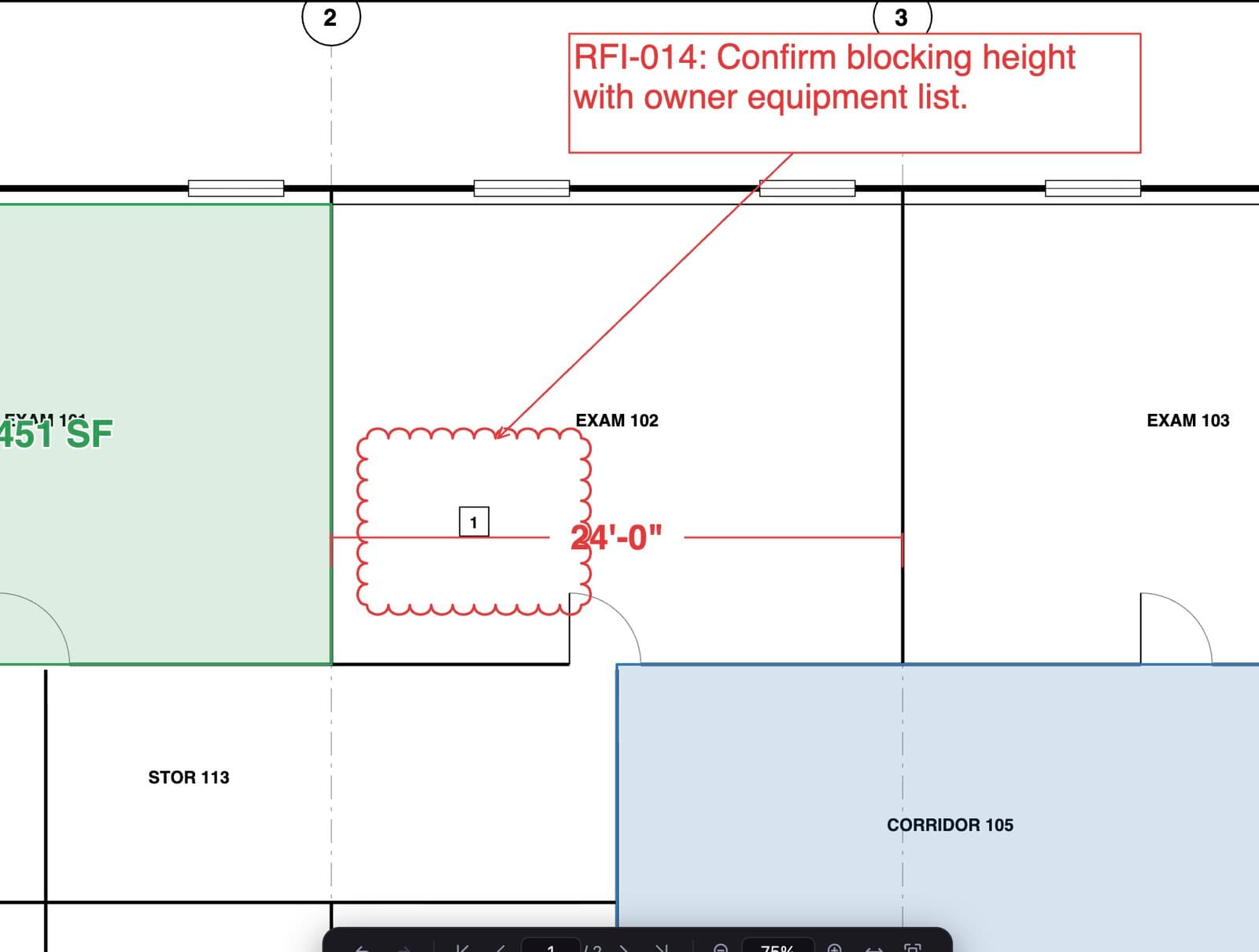
Redpen saves standard PDF annotations with their own appearance. Send a Redpen set to someone on Revu and they see exactly what you drew.
Tool chest, markups list with status and comments, takeoff totals by subject. Laid out so the drawing gets the space.
Instead of trusting the scale note, Redpen checks the drawn dimensions against the written ones and finds the real scale.
Pay monthly or yearly, add seats when you hire, drop them when the job ends. Cancel from your account page.
At Redpen's price, the PM, the super and the foreman can all have a copy, not just the estimator.
Four steps, then back to work.
- 1Install Redpen
Download for Windows or Mac. It installs per user, no admin rights needed on most machines.
- 2Check your shortcuts
Bluebeam-style keys are the default. Change any of them under Keyboard shortcuts.
- 3Open a set you are working on
Markups and measurements from Revu show up. Keep going in Redpen.
- 4Set scale and take off
Use Autoscale, then measure and count. Export to Excel when you are done.
Bluebeam and Revu are trademarks of Bluebeam, Inc. Redpen is an independent product and is not affiliated with, endorsed by or sponsored by Bluebeam, Inc.
Put Redpen on your next bid set.
14 days of every feature. No credit card. If it doesn't save you time on the first set, don't keep it.