
Count
Click one symbol. Count every match.
Fixtures, devices, piles, anything with a symbol. AutoCount finds every match on the sheet and numbers it by group, so a lighting plan takes minutes, not an afternoon.
E-101 First Floor Lighting Plan
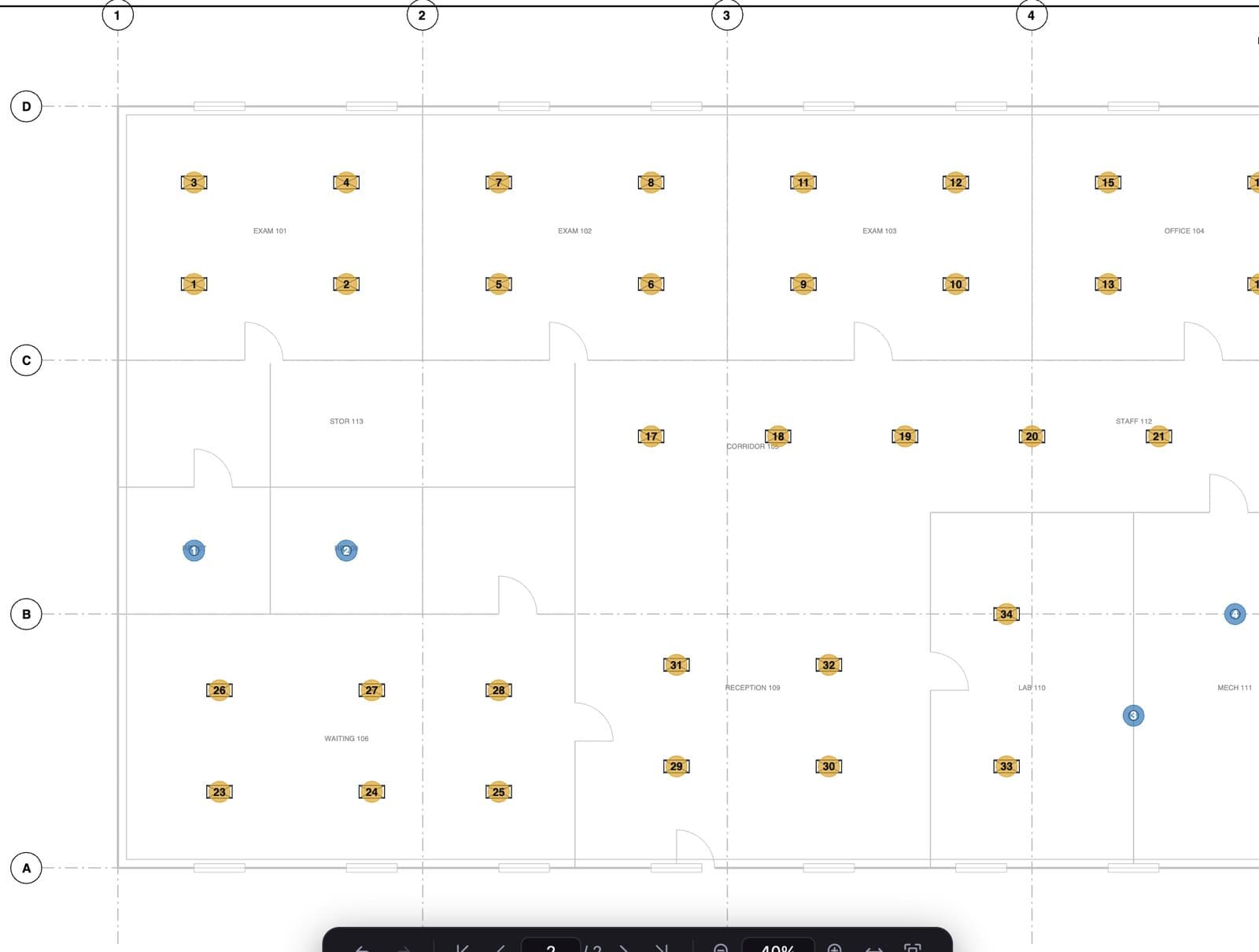
One click to find them all
Pick a symbol and Redpen finds and numbers every match on the sheet.
Counts by group
Type A troffer 1, 2, 3, then Type B downlight. Each group keeps its own running total.
Manual count when you need it
Drop numbered markers by hand for anything AutoCount should not touch.
Counts go to Excel with everything else
Counts export alongside lengths and areas in one takeoff.
How it works
Three steps.
- 1Pick the symbol
Click one example of the fixture or device.
- 2Review the matches
Every match is numbered. Remove or add markers where needed.
- 3Export
Counts land in Excel with the rest of the takeoff.
Also included
Details that matter.
- Counts by group and type
- Review and correct every marker
- Works with lengths and areas in one takeoff
- Export to Excel
Questions
AutoCount: short answers.
Can I count lighting fixtures on a PDF automatically?
Yes. Click one fixture symbol and AutoCount finds and numbers every match on the sheet.
What if AutoCount misses one or counts the wrong thing?
Every marker is editable. Add missing ones with the Count tool and delete false matches.
Do counts export to Excel?
Yes. Counts export with the rest of your takeoff totals.
Put Redpen on your next bid set.
14 days of every feature. No credit card. If it doesn't save you time on the first set, don't keep it.