
Review & markup
Markups that read clearly on screen and on paper.
Clouds, callouts, arrows, highlights and stamps, with every markup in one list showing author, status and comments, so nothing gets lost between the field and the office.
RFI-014
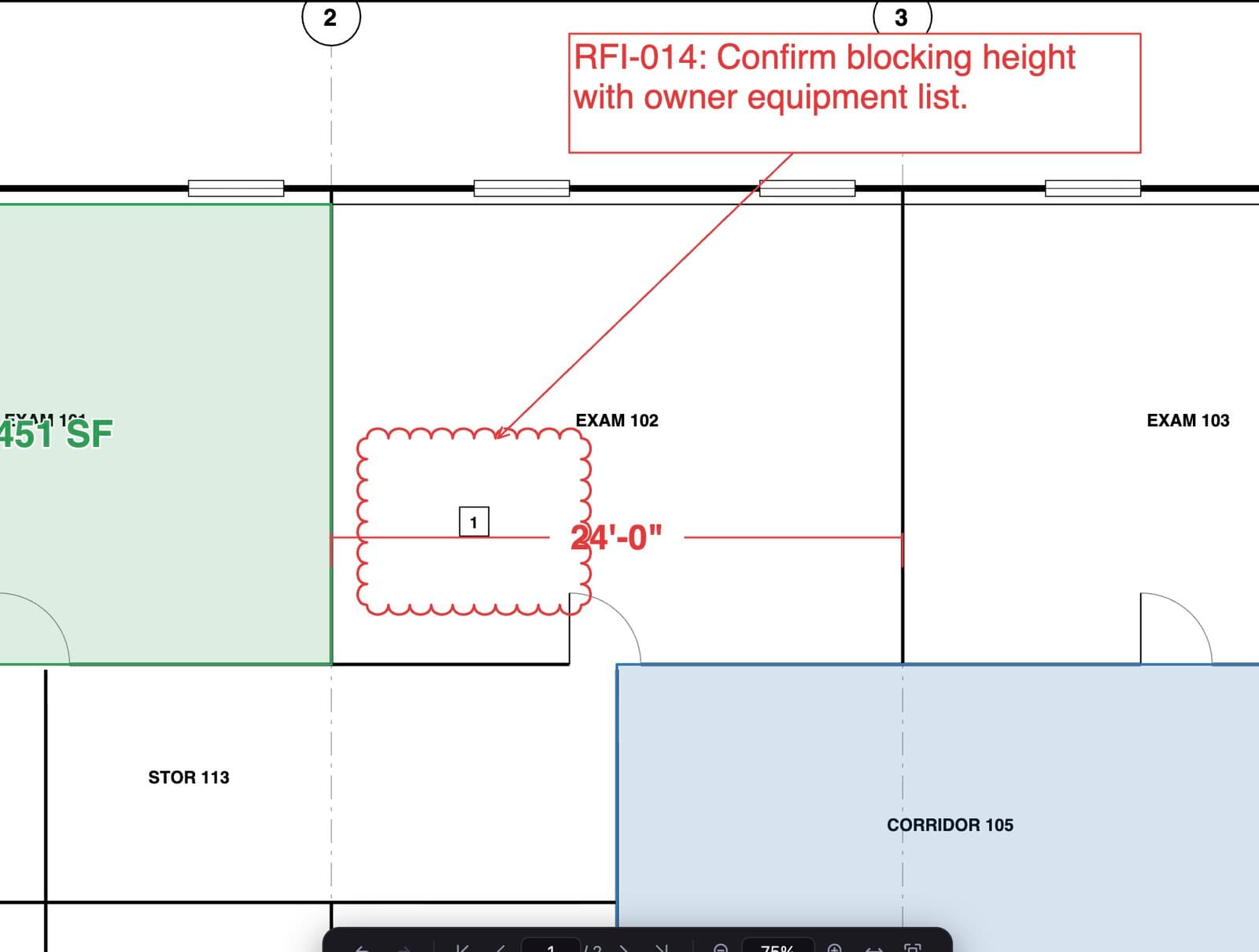
Clouds and callouts
Revision clouds by box or by points, and callouts with leaders that stay attached when you move them.
A markups list that works
Filter, sort, group, comment and set status. Export the list when the RFI log needs it.
Tool chest and format painter
Save your go-to markups and copy a style from one markup to many.
Standard PDF annotations
Markups save with their own appearance, so Acrobat, Bluebeam Revu and other viewers show them as you drew them.
How it works
Three steps.
- 1Open the set
Large sheets render sharp at any zoom.
- 2Mark it up
Cloud, call out, highlight and stamp. Add comments and set status.
- 3Send it
Save as a standard PDF. Anyone can open it, and the free plan can view and mark up.
Also included
Details that matter.
- Group, align and distribute markups
- Flatten markups when the file must be final
- Redaction and watermarks
- Works offline
Questions
PDF markup: short answers.
Will my markups open in Bluebeam Revu or Acrobat?
Yes. Redpen saves markups as standard PDF annotations with their own appearance, so other viewers show them the way you drew them.
Can I track RFI status on markups?
Every markup has an author, date, status and comments in the markups list, which you can filter, sort and export.
Is markup free?
Yes. Clouds, callouts, text, arrows, highlights and the markups list are in the free plan.
Put Redpen on your next bid set.
14 days of every feature. No credit card. If it doesn't save you time on the first set, don't keep it.