How to highlight, fill in and sign a PDF.
- Plan
- Free
- Use this file
- Our sample form: a fictional one-page garden plot application with text boxes, tick boxes, a drop-down and a signature line. Or any PDF of your own. Download Riverbend-Sample.pdf
Five steps.
Step 1: Open the PDF
Choose Open, or drag the file into the window. Any PDF opens, whatever its size.
Step 2: Highlight and comment
Choose the highlight tool and drag across text. Add a note or text box where you want to say something. Every markup lands in one list with its author and date, and you can set a status on it.
Markups list · author and date on each Step 3: Fill in the form
Click a field and type, tick the boxes and pick from the lists. View > Highlight form fields shows every place to fill in. The answers are stored in the PDF.
Step 4: Sign it
Press X for the Sign tool and click where the signature goes. Draw your signature or type your name in a script font. My signatures keeps the ones you use.
Step 5: Save
Save the PDF. Markups are saved as standard PDF annotations, so the file opens in other PDF viewers too.
Your highlights and notes are in the markups list, the form shows your answers, and the signature sits on the line. Close the file and open it again: all of it is still there.
- A scanned page has no text to highlight until it has been through OCR, which is Office and up.
- A PDF with no form fields can take text boxes from the markup tools. Placing real fillable fields is Office and up.
- A drawn or typed signature is a picture of your signature. Signing with a digital ID, which records who signed and whether the file changed, is Office and up.
- Several people marking up one file at the same time is not built. Share the PDF instead.
Save a copy if you want to keep the unmarked file.
To have someone else sign, Redpen can send it through your own DocuSign account.
Short answers.
Is highlighting and commenting free?
Can I fill in a PDF form for free?
Is a drawn signature legally binding?
Does my file leave my computer?
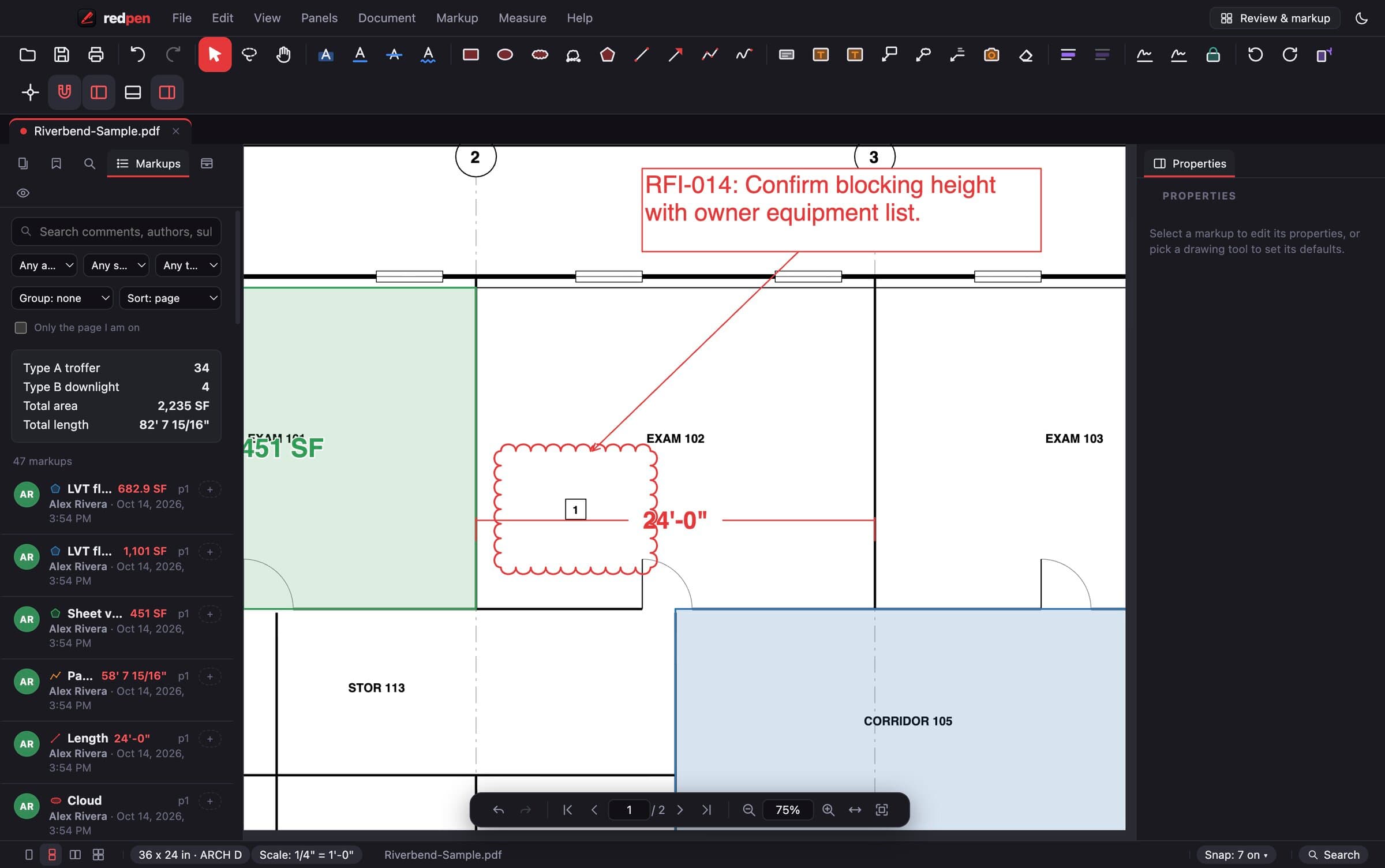
The screenshot shows a sample drawing sheet, not a real project.
Come on in. The viewer is free.
Download Redpen and open your first PDF in a minute. The free app needs no account. Every new account can try Office or Pro free for 14 days, no card.
Windows & Mac · No credit card · Your files stay on your computer