Redact, number and send. Nothing leaves your desk.
Redaction that removes the covered content from the file instead of hiding it, Bates numbering with a production index, and digital-ID signatures, in a desktop app that keeps every document on your own computer.
Needs Pro
Windows & Mac · No credit card · Your files stay on your computer
This agreement is made between (“Claimant”) and (“Company”), effective as of the date signed below.
Payment will be made to account no. , routing , within thirty days.
Contact:
What a production needs.
Real redaction
Draw boxes (Office), or search and pattern redact with a redaction log (Pro). Applying removes the covered content from the saved file, not just the view of it.
Bates numbers
Number every page of a production. A production index is kept, and numbering carries on between productions.
Digital-ID signatures
Sign with a digital ID that records who signed and whether the file has changed since.
Private by design
Files open and save on your computer. No AI feature reads your documents.
A production letter, redacted and numbered.
Shown on a fictional sample matter. Search and pattern redaction, the redaction log and Bates numbering are in Pro.
- 01
Mark what has to go
Search for a name, Social Security numbers or account numbers and Redpen marks every match as a redaction you can check. Here, 9 matches on 3 pages. Nothing is removed yet.
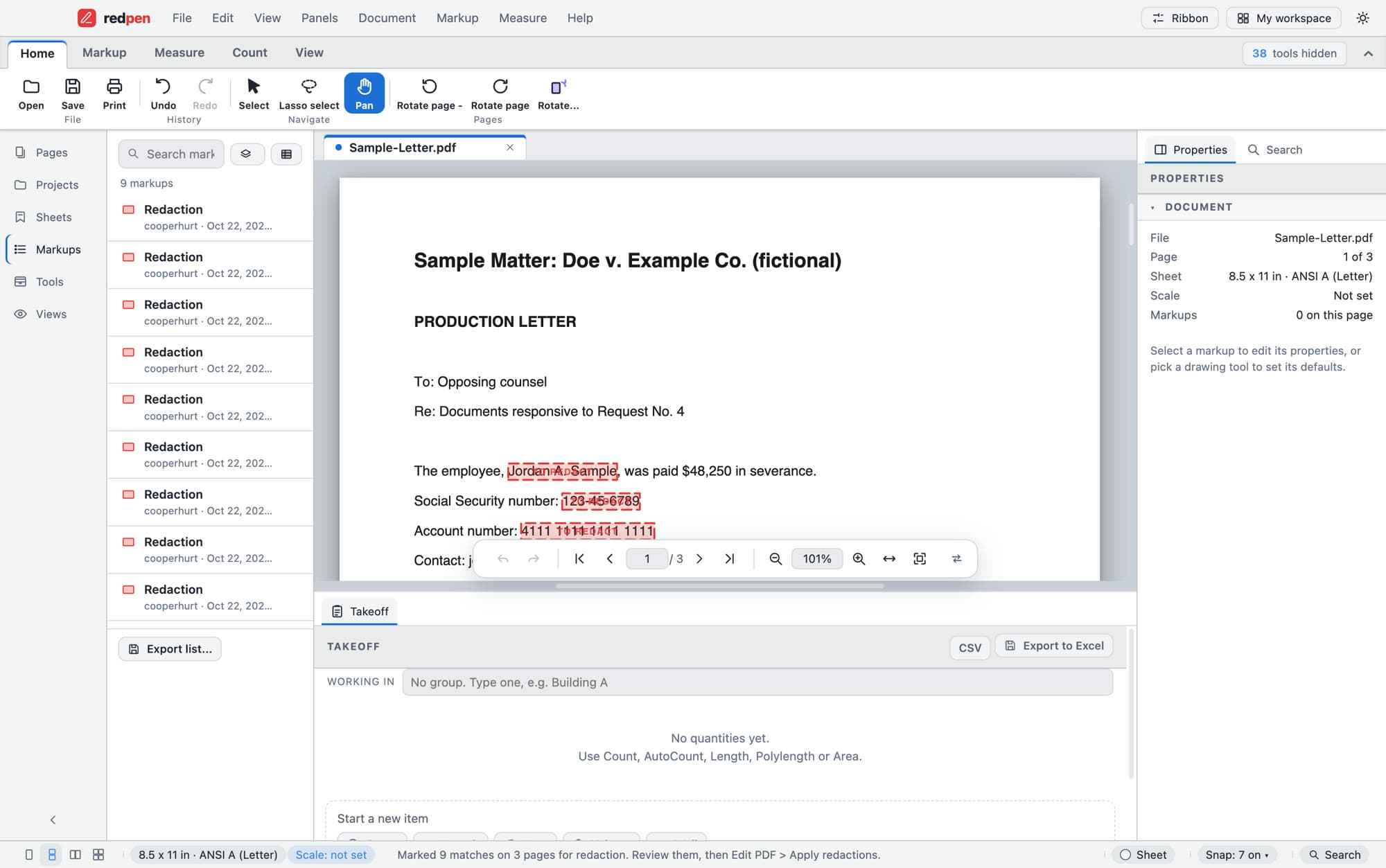
Sample-Letter.pdf · 9 redactions marked - 02
Choose how it's removed
Remove only the covered words and keep the page searchable, or turn redacted pages into images so none of their text remains. Add a reason, and save a redaction log by page, Bates number, reason and count. The log never contains the covered text.
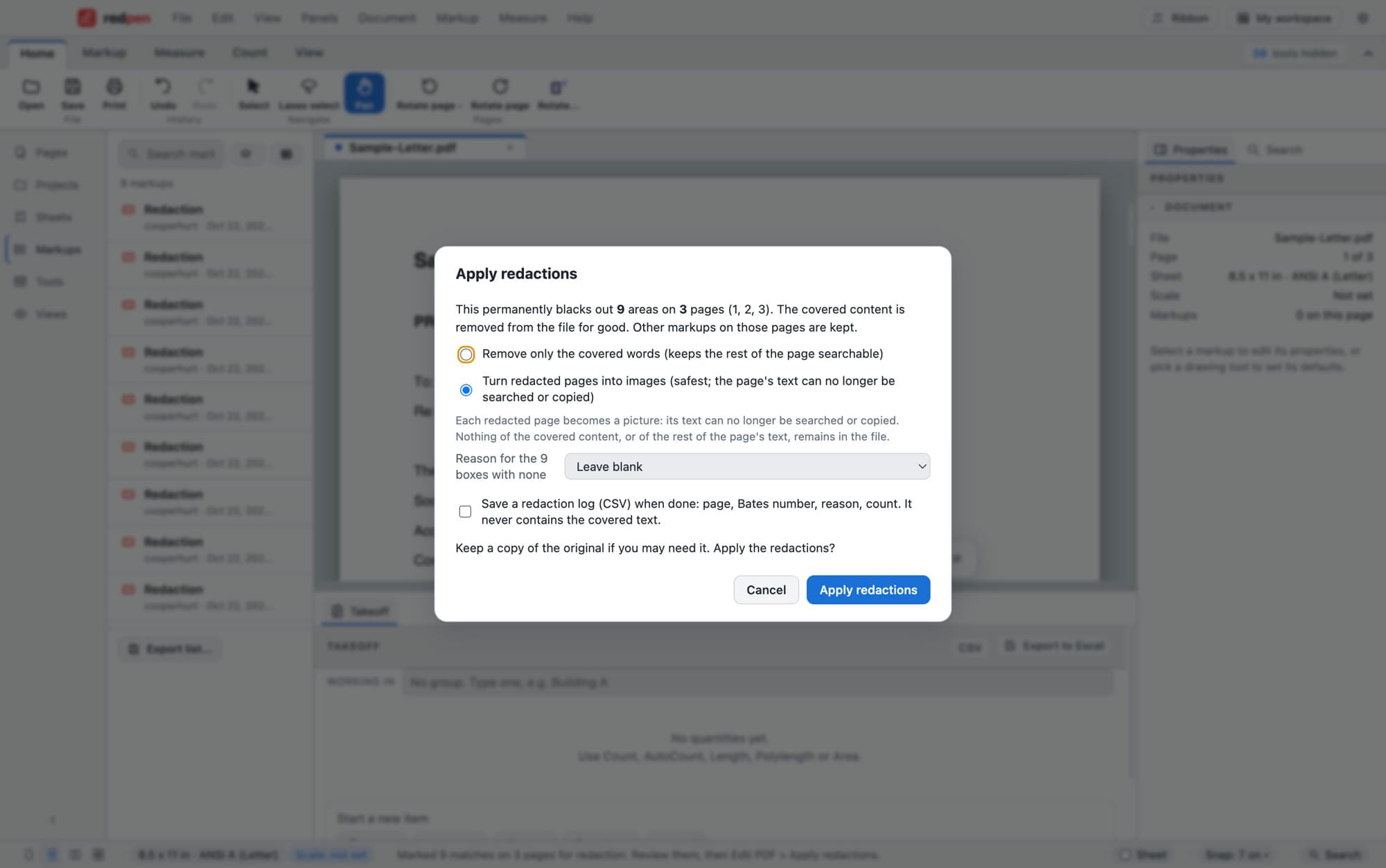
Apply redactions - 03
Number the production
Stamp BATES-{n} on every page, from any start number and to any number of digits, in the corner you choose. The preview shows the first number before you commit.
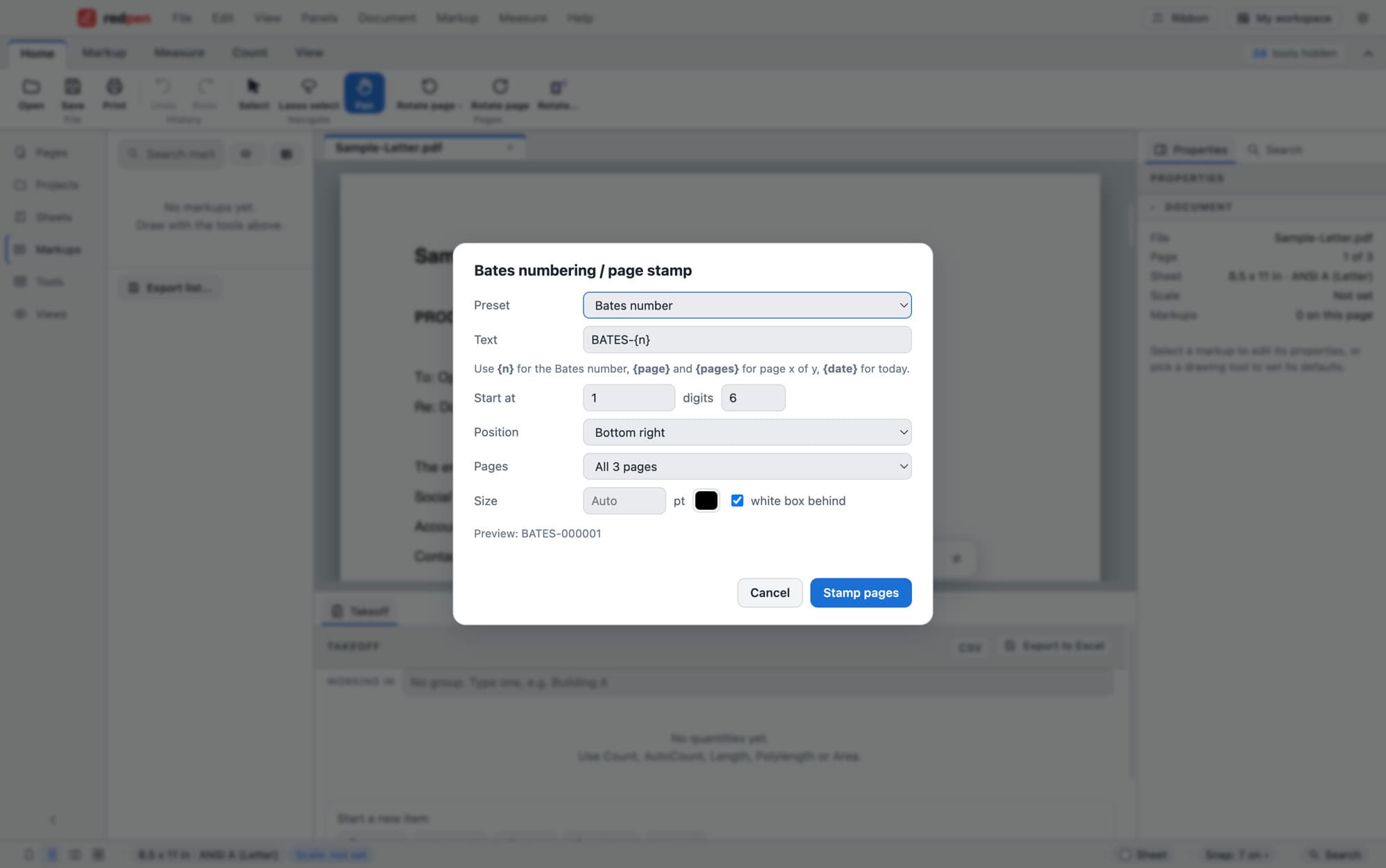
Bates numbering / page stamp - 04
Clean it, then sign it
Remove hidden information and check the file before it leaves. Sign with a digital ID, which records who signed and whether the file changed afterwards (Office and up).
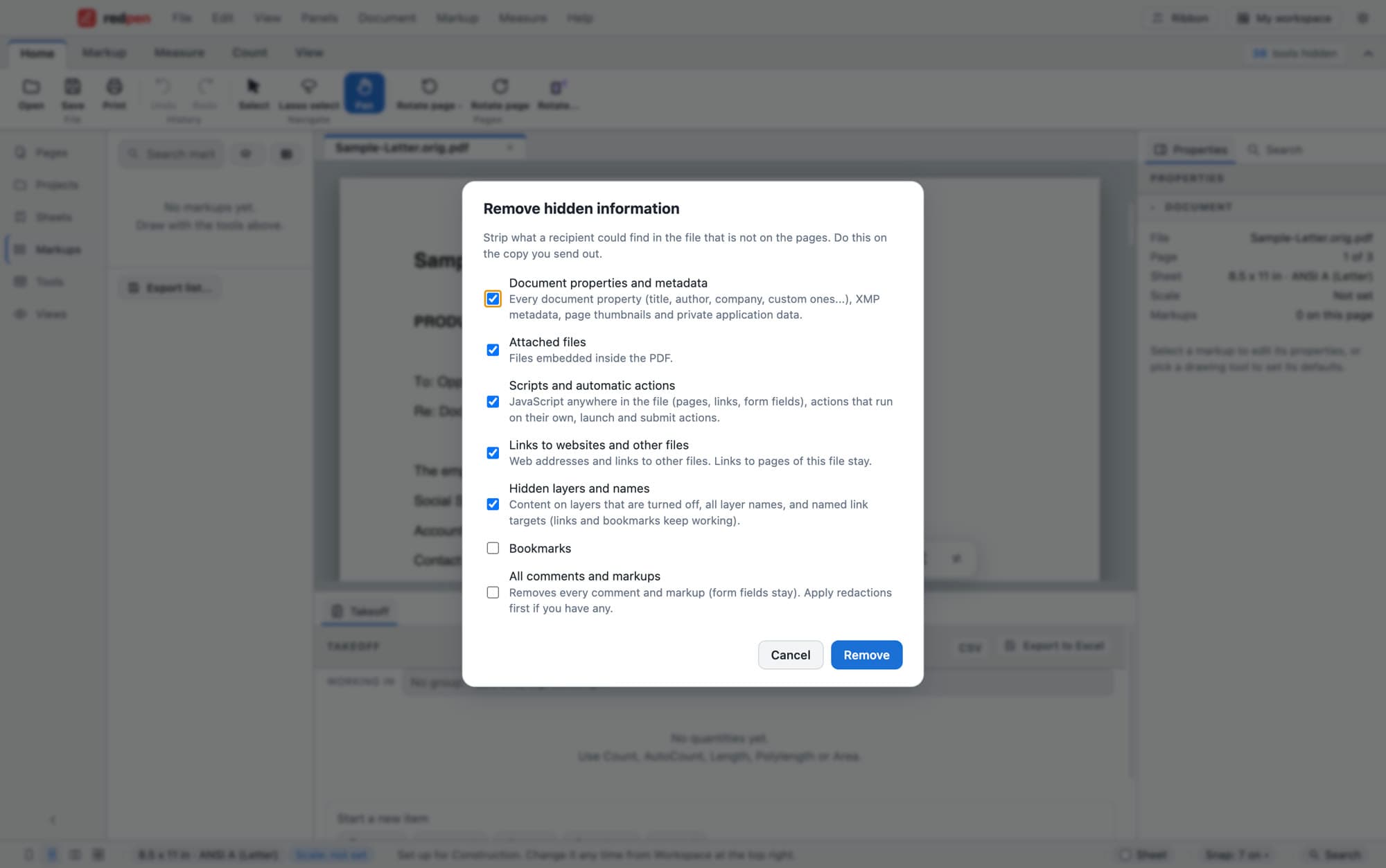
Remove hidden information
Start free. Add Pro when the job needs it.
Free
$0 no time limit- Open and read any PDF
- Highlight, comment and track review status
- Fill in PDF forms
- Watermark and password protect
- Print and save to standard PDF
Added by a paid plan
Office $79 a year per seat · Pro $199 a year- OCR that runs offlineOffice
- Redact by drawing boxesOffice
- Remove hidden information and check before sendingOffice
- Sign with a digital IDOffice
- Redact by search and pattern, with a redaction logPro
- Bates numbering and production indexPro
Every new account can try Office or Pro free for 14 days, no card. Compare plans
Asked before the first production.
Does redaction remove the text or just cover it?
Which plan do I need?
Does Bates numbering carry on between productions?
Does it run on a Mac?
Are my files uploaded anywhere?
Come on in. The viewer is free.
Download Redpen and open your first PDF in a minute. The free app needs no account. Every new account can try Office or Pro free for 14 days, no card.
Windows & Mac · No credit card · Your files stay on your computer