Review drawings without the heavy suite.
Mark up consultant sets, lay one revision over another to see what moved, and measure on any sheet in real units. Quick on big sets and native on both Windows and Mac.
Needs Pro
Windows & Mac · No credit card · Your files stay on your computer
The jobs Redpen takes off your desk.
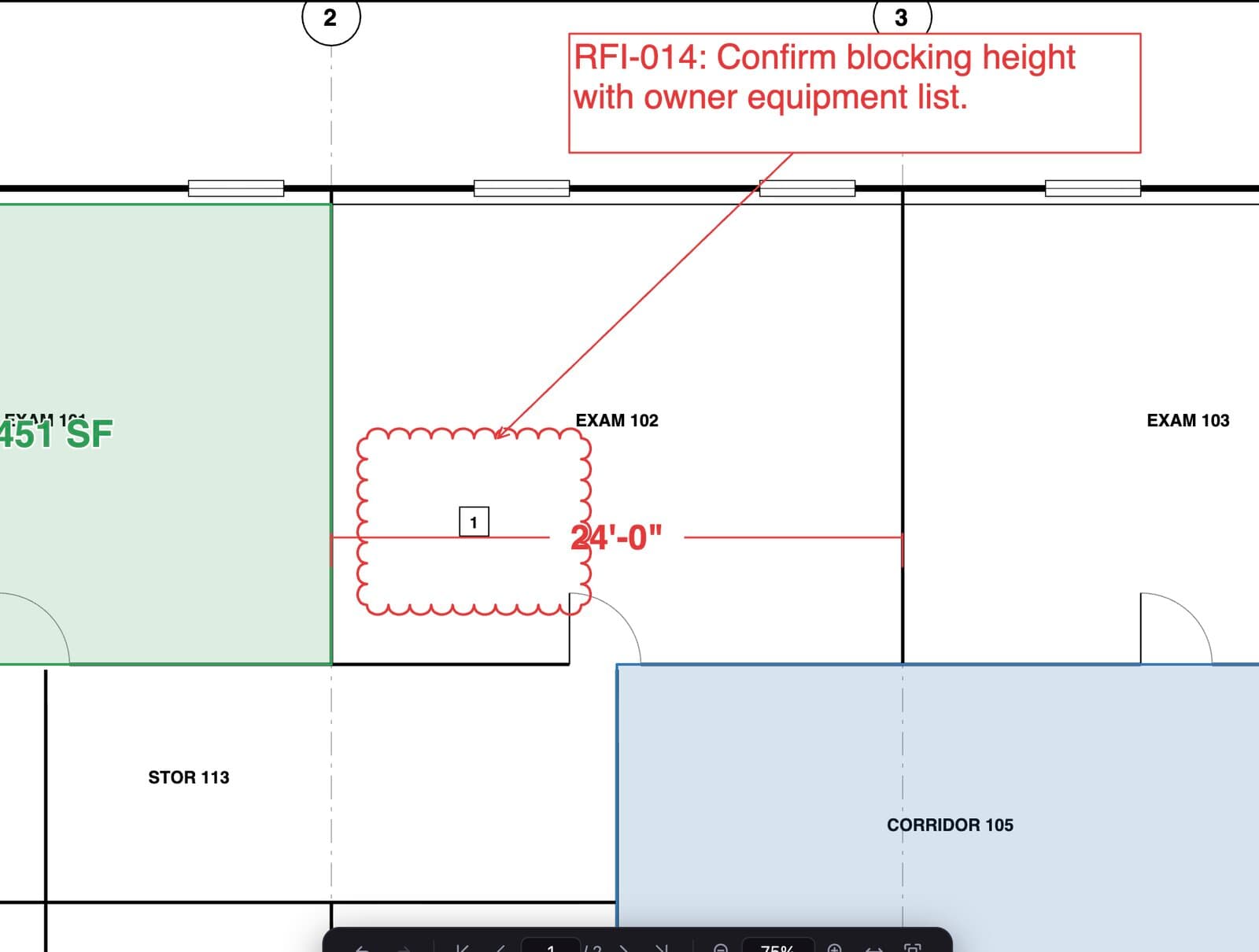
Markups that read on paper
Clouds, callouts and leaders that stay attached, with a markups list for status and comments.
Compare revisions
Compare a page with an older version for free, or overlay whole sheets and pair a revised set by sheet number in Pro.
Measure in real units
Calibrate or Autoscale, then check lengths, areas, angles and radii.
Issue clean sets
Stamps, watermarks and flatten for the set that goes out the door.
Open it, do the job, send it.
- 01Open the set
Large sheets render sharp at any zoom.
- 02Review and compare
Mark up, then compare with the last issue to catch what moved.
- 03Send it back
Save a standard PDF with every comment and status in place.
Start free. Add Pro when the job needs it.
Free
$0 no time limit- Open any drawing set, any size
- Clouds, callouts, text and highlights
- Markups list with comments and status
- Stamps, watermarks, flatten and unflatten
- Compare a page with an older version
Added by a paid plan
Office $79 a year per seat · Pro $199 a year- Calibrate, Autoscale and every measure toolPro
- Sheet overlay and set comparePro
- Sheet links and page labels from sheet numbersPro
- OCR for scanned sheets, offlineOffice
- Sign with a digital IDOffice
Every new account can try Office or Pro free for 14 days, no card. Compare plans
Go deeper
Asked before the first download.
Can I compare two revisions of a sheet?
Does it handle scanned drawings?
Does it open DWG or Revit files?
Are my files uploaded anywhere?
Come on in. The viewer is free.
Download Redpen and open your first PDF in a minute. The free app needs no account. Every new account can try Office or Pro free for 14 days, no card.
Windows & Mac · No credit card · Your files stay on your computer