Count it, measure it, send it to the floor.
Count parts and fixtures with one click, measure lengths and areas on PDF shop drawings, export the numbers for your quote, and mark up the drawing clearly for the people building it.
Needs Pro
Windows & Mac · No credit card · Your files stay on your computer
The jobs Redpen takes off your desk.
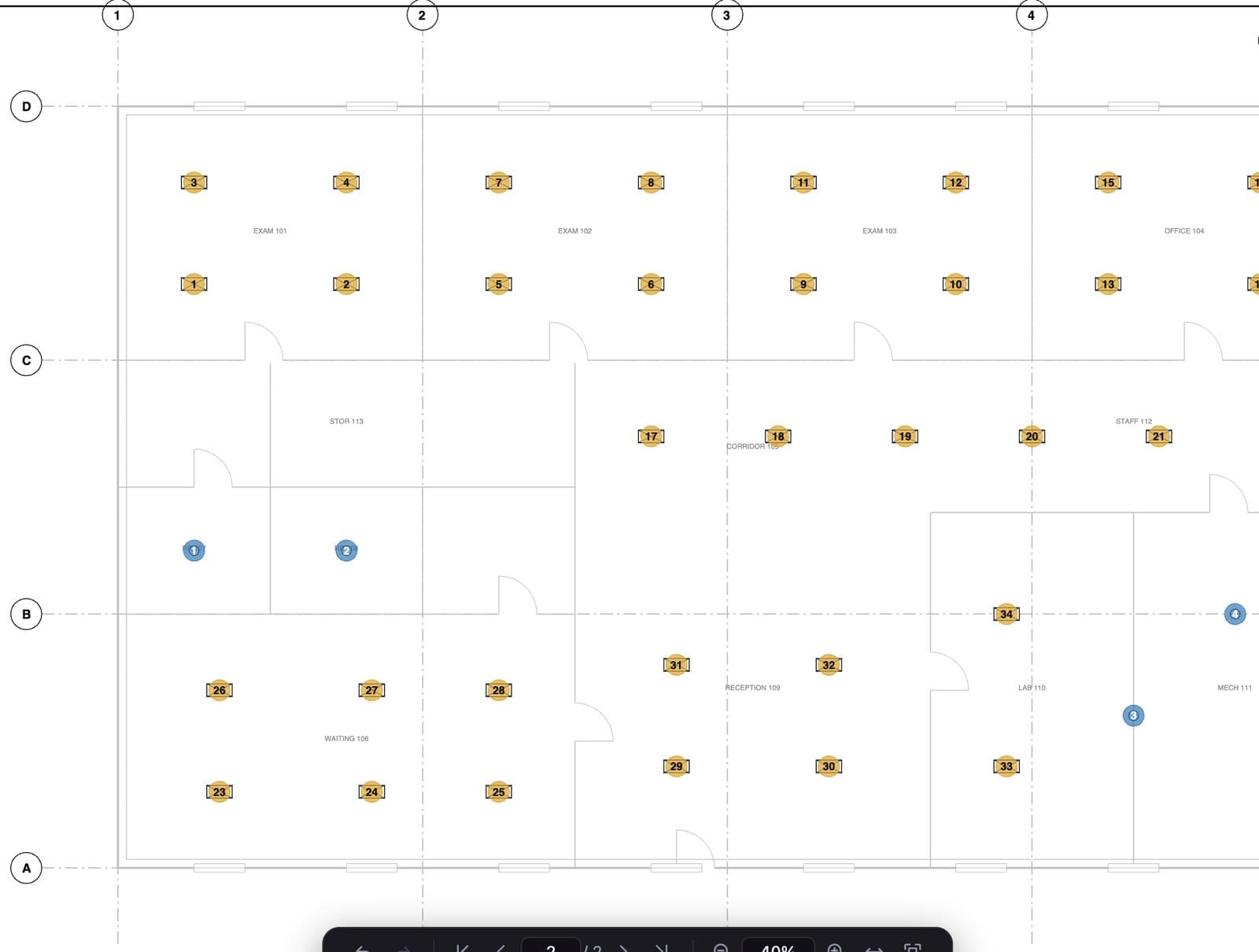
AutoCount
Click one symbol and Redpen finds and numbers every match, grouped by type.
Lengths and areas
Linear feet of trim, square feet of panel, in real units once the scale is set.
Quantities to Excel
Counts, lengths and areas export together to a saved Excel or CSV file for the quote.
Markups for the floor
Callouts and clouds that read clearly on screen and on a printout.
Open it, do the job, send it.
- 01Open the drawing
PDF shop drawings and plans render sharp at any zoom.
- 02Count and measure
AutoCount the parts, then measure runs and areas.
- 03Quote and build
Export to Excel for the quote, print the marked-up sheet for the shop.
Start free. Add Pro when the job needs it.
Free
$0 no time limit- Open any PDF drawing
- Callouts, clouds and highlights
- Snapping on every markup
- Print and save to standard PDF
Added by a paid plan
Pro $199 a year- AutoCount and manual countsPro
- Calibrate, Autoscale and measurePro
- Export quantities to Excel or CSVPro
- Sheet overlay to compare revisionsPro
Every new account can try Pro free for 14 days, no card. Compare plans
Go deeper
Asked before the first download.
Does Redpen open DWG or STEP files?
Can I count parts automatically?
Are my files uploaded anywhere?
Come on in. The viewer is free.
Download Redpen and open your first PDF in a minute. The free app needs no account. Every new account can try Office or Pro free for 14 days, no card.
Windows & Mac · No credit card · Your files stay on your computer